Now that you understand what Moire patterns
are, their causes, and how they can affect businesses and campaigns that rely
on LED screens for advertising, let’s explore some
effective ways to prevent the Moire effect:
Use an LED screen with a higher pixel
density: Using a screen with a higher pixel density makes it harder for the
screen to capture the pattern, thus reducing the likelihood of the Moire
effect.
Adjust the refresh rate of the screen: As
mentioned earlier, the refresh rate of an LED screen can cause flickering,
which in turn creates a blurry or jagged effect on text, images, and videos.
But if you adjust the refresh rate correctly, you can prevent the Moire effect
from occurring.
Use a matte screen or anti-glare coating:
Prolonged exposure to direct sunlight or strong ambient light is one of the
causes of the Moire effect on LED screens. However, using a matte screen or
anti-glare coating can help reduce reflections on LED walls.
Use high-quality video cables and
connectors: In order to prevent interference with the displayed content, it is
necessary to use high-quality video cables and connectors. They play a vital
role in reducing interference and preventing the Moire effect.
Use a video signal processor: The
occurrence of the Moire effect is almost inevitable when using multiple LED
screens. However, you can prevent the Moire effect by using a video signal
processor to adjust the frequency and timing of the signal.
Use a diffuser to soften the light from the
screen: If you want to reduce distractions and prevent the Moire effect from
occurring on your screen, you can use a diffuser. The diffuser will soften the
light from the LED screen.
Avoid using small fonts or high-contrast
patterns: Another way to prevent the Moire effect is to avoid using small fonts
or high-contrast patterns. Instead, use medium-sized fonts and patterns with
moderate contrast—not too low or too high.
Use a high-quality graphics card with a
good anti-aliasing filter: Displaying text and images with jagged edges can
ruin your presentation. But high-quality graphics cards and a good
anti-aliasing filter can smooth out the edges on LED screens and prevent the Moire
effect from occurring.
While the occurrence of Moire on LED
screens is becoming more common, there are several ways to prevent it,
including using high-quality equipment and avoiding patterns and colors that
may cause distractions.
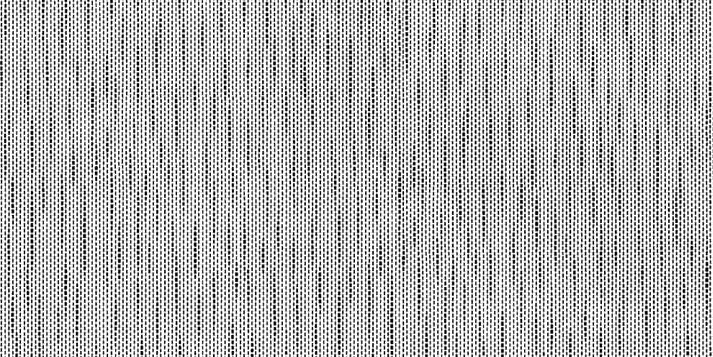
How to minimize Moire on LED screens
The Moire effect is one of the biggest
challenges for companies and individuals using LED screens, and it can disrupt
important business meetings, advertising campaigns, and other special events.
If you have experienced Moire patterns on your LED screen, or are struggling to
reduce their effects, the following tips will help:
Adjust the resolution: Adjusting the
resolution of your LED screen can help reduce the occurrence of Moire, as Moire
patterns are caused by interference between the pixel pattern on the screen and
the pattern in the text, video, image, or graphic you are displaying. When you
adjust the resolution of your LED screen, you are actually changing the spacing
of the pixels, which reduces the chances of uneven patterns. However, reducing
the resolution may also reduce image quality and clarity, so it is recommended
to find a balance between reducing the Moire effect and maintaining image
quality.
Use a diffuser: A diffuser is a material
that evenly distributes light. Applying it to your LED screen can reduce the Moire
effect. Placing a diffuser above the screen can blend the pixel pattern and
make it less noticeable, thereby reducing the chances of Moire patterns
appearing.
Choose the right pixel pitch: The pixel
pitch refers to the distance (in millimeters) between the center of each pixel
on the LED screen and the centers of the other pixels around it. Choosing the
right pixel pitch can reduce the Moire effect. Choosing a larger pixel pitch
means there is more space between pixels, which reduces the chances of Moire
patterns appearing on your LED wall. But a larger pitch also means that the
resolution of the screen will be reduced.
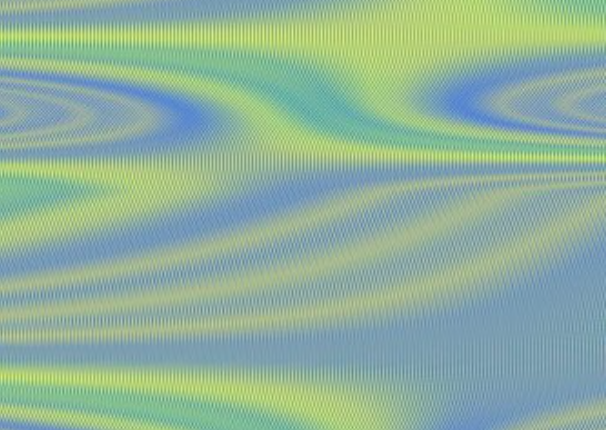
Calibrate Properly: Have you ever
transferred an image from your computer to your phone only to find that the
colors are different from the original? This means that your PC or LED wall is
not properly calibrated. Calibration involves adjusting the color and
brightness levels to ensure that it is displaying the original colors of any
image you are showing. Properly calibrating your screen can reduce the
appearance of these patterns and minimize the Moire effect.
Use an anti-aliasing filter: Anti-aliasing
filters smooth jagged edges or frame skipping on text and images by adding
extra pixels. It reduces the sharpness of the edges, which reduces the
appearance of Moire patterns.
Utilize multiple screen panels: Using
multiple smaller LED video wall panels instead of one large screen can help
reduce the Moire effect on your display. When you divide the screen into
smaller sections, the viewer's eyes will not notice existing or upcoming Moire
patterns.
Adjust the refresh rate: The refresh rate
of an LED screen is how often you update the video, text, graphics, or images.
A higher refresh rate will make the content you display appear smoother and
reduce the visibility of Moire patterns.
Change the audience's viewing distance: The
distance between the audience and the screen can affect the appearance of Moire
patterns. To minimize this pattern, change your viewing distance, try moving
closer to the screen or further away to reduce the visibility of the Moire
pattern.
Use noise reduction filters: Many videos,
images, and graphics contain noise that shouldn't be there. This noise shows up
as a Moire pattern, which you can reduce with a noise reduction filter. If your
LED wall manufacturer has built-in noise reduction filters, you can use them to
reduce the Moire effect. These filters work by analyzing the image or video and
removing patterns that may cause Moire patterns to appear.
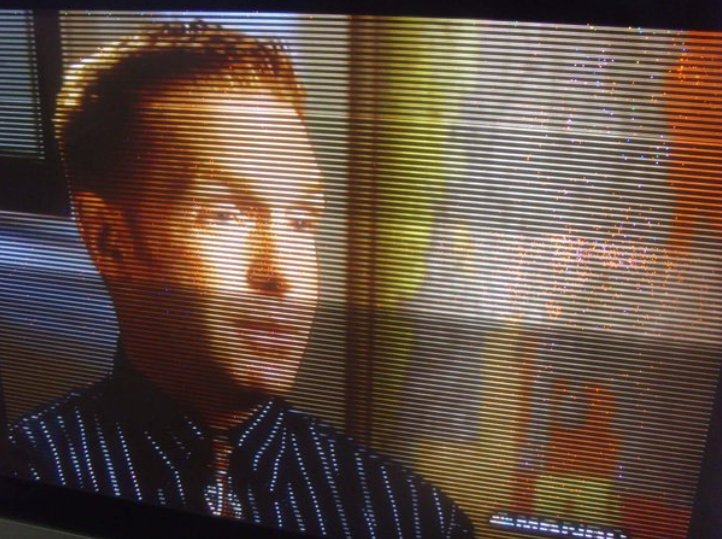
If you're not sure how to do this yourself,
make sure to contact your manufacturer to help you make the necessary
adjustments. Also, if you're using a rental LED screen, don't hesitate to
contact the rental company quickly to inform them of the change in the display
before adjusting the LED screen's settings.
Shenzhen Shinerave is a very powerful LED display supplier.

 OE P1.9/P2.6/P2.9Item Number: P1.9/P2.6/P2.9
 OH P3.9/P4.8OH P3.9/P4.8
 OB Plus P5/P6/P10Outdoor LED Screen P5.7/P6.67/P8/P10 Brightness:5500-10000nits Cabinet size:960W×960H mm
 Indoor TransparentCrytal Series Model:P5/P6.25/P8/P10etc.
 Outdoor MeshOutdoor Mesh Model:P3.9-7.8/P15-15/P15-31etc.
 CV P1.2/P1.5/P1.8640*480mm cabinet size, Fine pitch high cost performance
 AD P1.9/P2.6/P2.9Indoor LED Screen P1.5/P1.9/P2.6/P3.9 Brightness:600-1000nits Cabinet size:500W×250H/750W×250H/1000W×250H mm


